

WordPress plugin
WordPress mail that arrives
Our plugin takes over sending from WordPress and sends every email from your site through the Send API. A wizard of three steps, and after that the panel shows you what happened to your email.
Version 0.13.6 · WordPress 6.0 or newer · PHP 8.0 or newer
Why sending through SendPier works better
By default WordPress hands your email to the mail function of your web server, wp_mail(). That email is unsigned, comes from an IP address you do not know, and you never see whether it arrived.
-
All email from your site
Password resets, order confirmations from your shop, messages from your contact form: everything WordPress sends itself goes through SendPier.
-
Signed with your domain name
Every message gets your DKIM signature and your return address. That is exactly what a receiving mail server looks at.
-
You see what happened
Every message comes back in the history of your domain, with the status the receiving server returned.
The wizard: three steps
After activation you land in the setup wizard once, automatically. Skip it and you find the same fields under SendPier › Settings. That is where you restart the wizard too.
-
API key
Paste the key of this domain from the panel (cp.sendpier.com › your domain › API keys). It is stored encrypted and afterwards only visible masked.
-
Sender
Pick the address this site sends mail with. It has to end in the domain of the site, otherwise the Send API refuses the message.
-
Test mail
Send one test mail to confirm that the whole chain works. If the test mail arrives, the plugin switches sending through SendPier on.
What you need beforehand
- A SendPier account; the free plan is enough to start.
- Your domain name added and verified. For that you put one record at the company where you registered your domain name; the panel shows exactly which one.
- An API key for that domain, from the panel.
The three screens you get
The plugin adds one menu item to your WordPress admin, with settings, statistics and the email log underneath. This is what those look like.
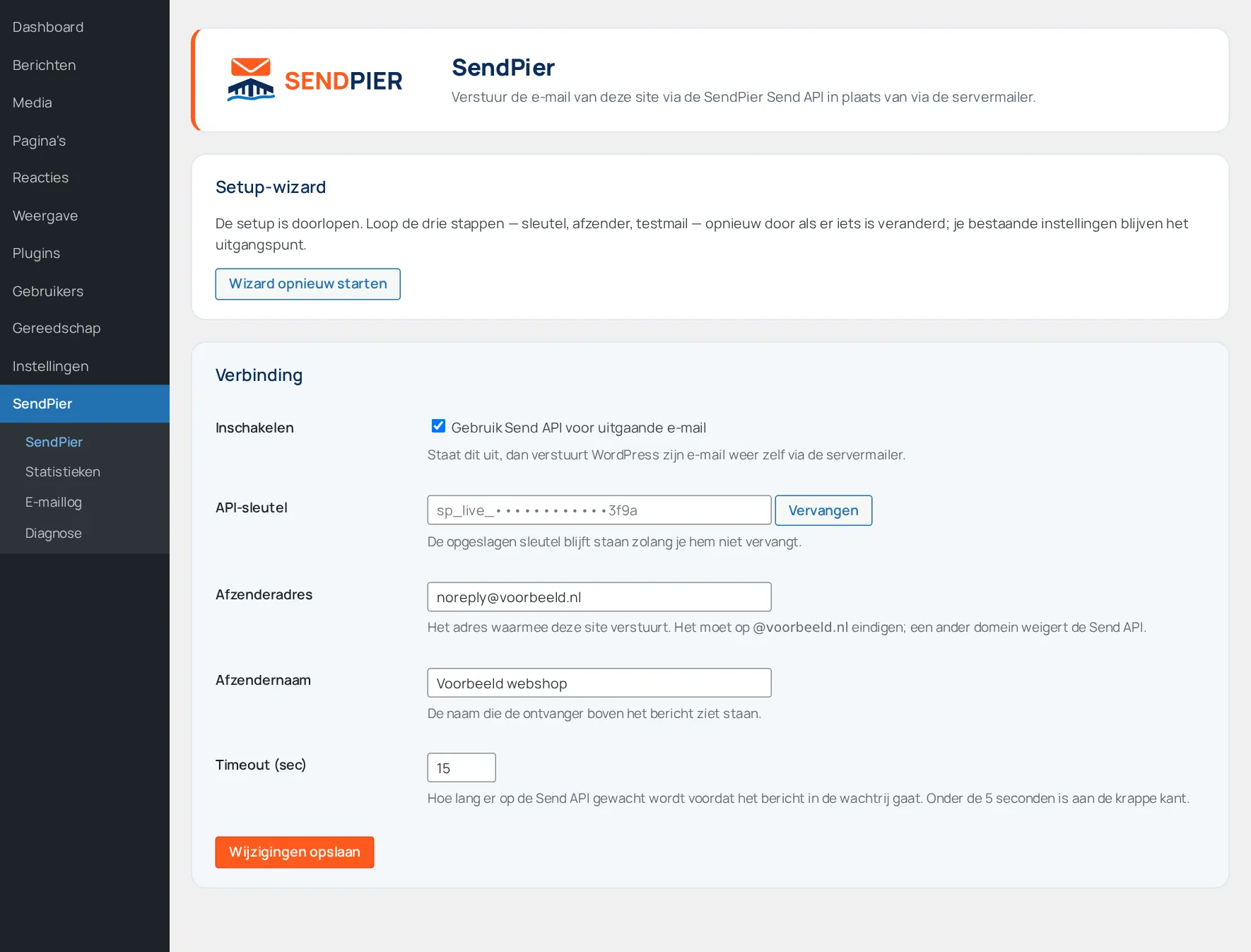
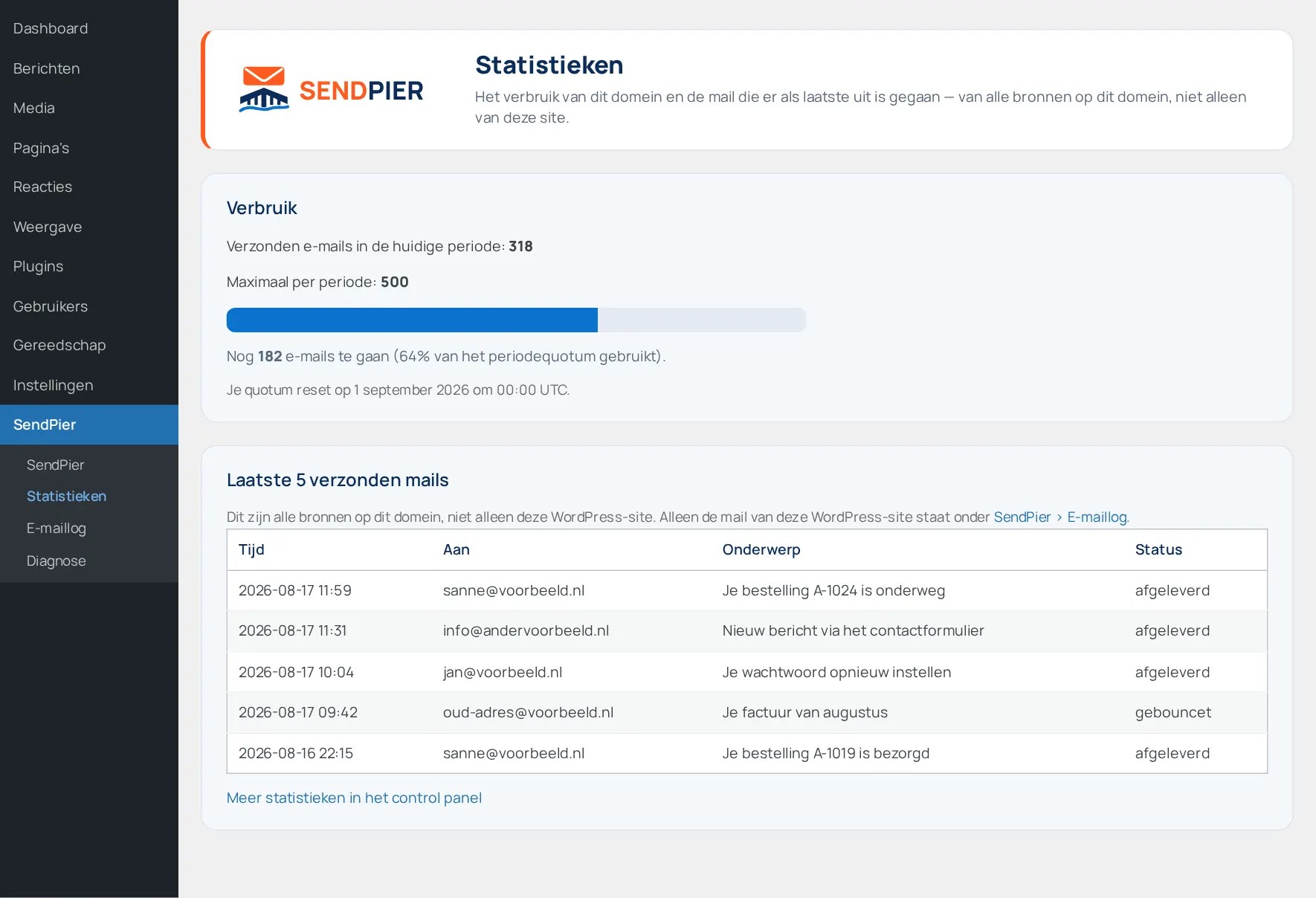
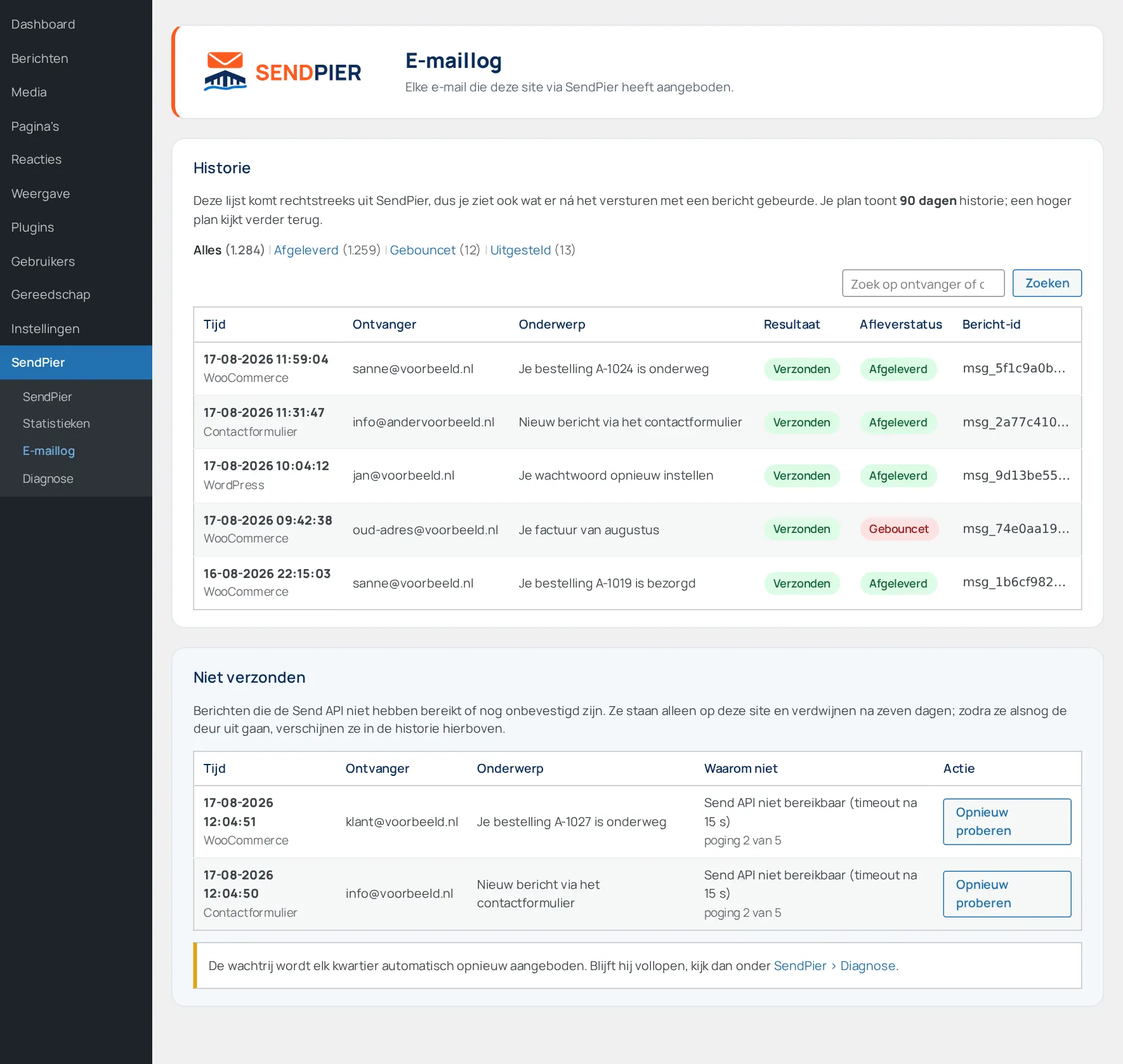
Rebuilt in the style of the admin screen, with made-up example data. It is not a screenshot of a real site and therefore holds no customer data.
What you see in the email log
The history comes straight from SendPier. So you also see what happened to a message after it was sent. How far back you can look depends on your plan. Whatever has not reached the Send API yet sits apart, as a short queue on your own site. Those lines disappear the moment the message does go out.
Installing
Three actions in wp-admin. You do not have to install developer tools, edit a configuration file or put an SMTP password in your code.
- Download the zip file and put it on your site via Plugins › Add new plugin › Upload plugin. Or unpack the sendpier folder into wp-content/plugins/.
- Activate the plugin SendPier. The wizard starts by itself.
- Walk through the three steps. After the test mail the plugin takes over sending.
Straight from our panel, the same file that sits on the page of your domain. Updates are announced by WordPress itself, from that same source.
Requirements
- WordPress
- 6.0 or newer
- PHP
- 8.0 or newer
- Outbound connection
- https to api.sendpier.com
- Licence
- GPLv2 or later (open source, free to use)
What else is in it
These are the things you run into in practice.
- Diagnostics page
- One screen with the state of your DNS records as SendPier sees them, plus your quota.
- Trying again
- A temporary error, for instance when api.sendpier.com is briefly unreachable, the plugin puts in a queue and retries later, with a longer wait each time. An error that will not change later, such as a wrong key or a refused address, goes straight into the 'Not sent' list and you get a notification about it.
- Mail log in wp-admin
- Per message what the site sent and what the API answered. Of an attachment the log keeps only the name and the size, not the contents.
- Attachments, Cc and Bcc
- Attachments go through the Send API, with the same limits as the API itself: at most 20 attachments, together with the text no more than 25 MB. Cc and Bcc addresses come along as extra recipients.
- Multisite
- Works with and without network activation, with a key, a sender and a log of its own per site. Deliberately no network-wide settings page: a key belongs to one domain.
- Dutch and English
- The plugin uses the language of your WordPress installation. Your own translation in wp-content/languages/plugins/ takes precedence and stays in place after an update.
Limits and things to watch
What the plugin does not do, or does differently from what you might expect.
- One mail plugin at a time
- If another SMTP or mail plugin is still on, it may take sending over. The diagnostics page says which one it is; switch one of the two off.
- The same limits as everywhere
- 500 emails a month per domain name. Every domain name starts at 100 emails a day. That daily limit grows as long as your email arrives well. More monthly volume comes from the bonus credits on Clipper and Fleet or from credits you top up; the daily limit sits apart from that.
- Outbound only
- SendPier sends; we host no mailboxes and accept no incoming email. Replies to your messages simply arrive at the address you set as sender.
- Who clicked, you see from Clipper
- Sent, delivered and bounced you see on every plan. Who opened and who clicked we measure from Clipper on, and that is off by default.
- Cc addresses do not see each other
- Cc addresses come along as ordinary extra recipients; the visible Cc line in the email disappears with that. If you would rather not, a WordPress filter can keep such email on your server's mail function.
- Version 0.13.6
- The plugin is new and gets regular updates. The full history per version is in the panel under Changelog, tab WordPress plugin.
Switch your WordPress mail over today
Create an account, verify your domain name and fetch your API key. The wizard does the rest, and your first test mail shows up in the panel right away.